Answer a few questions
What do you want to achieve? How long have you been training? How many days a week and how much time per session? And what equipment do you have? That’s all the app needs to know. If you train four days a week, one more question follows: full body every time, or upper and lower body in turns.
For equipment, you tick what you have and mark your favourite with a heart. If you’d rather train with dumbbells than on machines, dumbbell exercises come first in your plan.
How many days you can choose depends on your experience. If you are new or getting back after a break, it’s up to four days a week. After a few months of training, up to five, after that up to six.
Which goals can I choose?
Build muscle or stay fit. When you build muscle, you can train your full body evenly or put the focus on your upper body or on legs and glutes. If you mainly want to get stronger with few heavy reps, the catalog has ready-made strength plans like 5/3/1 or GZCLP.
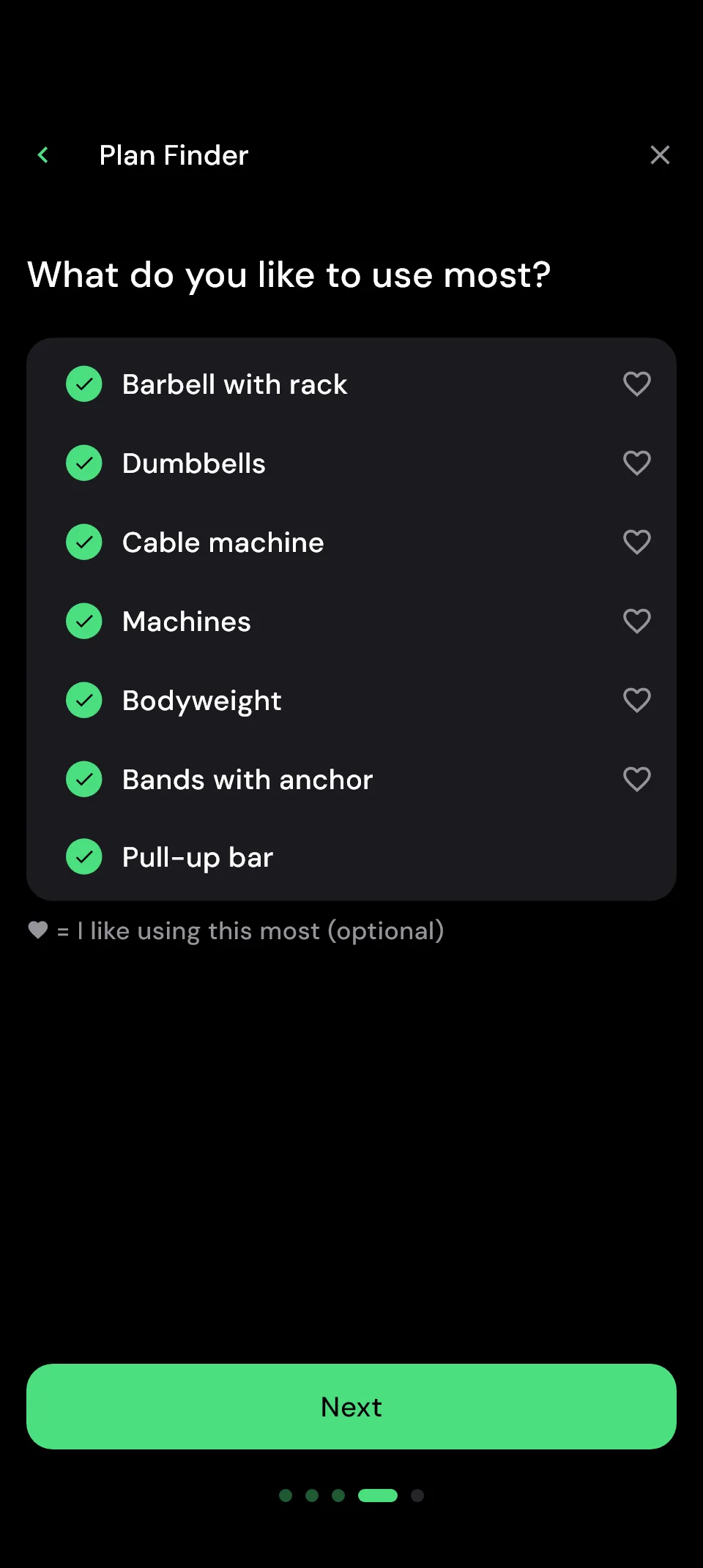 Enlarge image
 From 200,000+ plans to yours
There are over 200,000 combinations of goal, experience, days, time per session, focus and equipment. For every one of them, the best plan has been calculated in advance, by fixed rules from training science. Your answers pick yours.
No AI, no randomness: the same answers always give the same plan. Everything runs on your phone, without an account and without a connection to us.
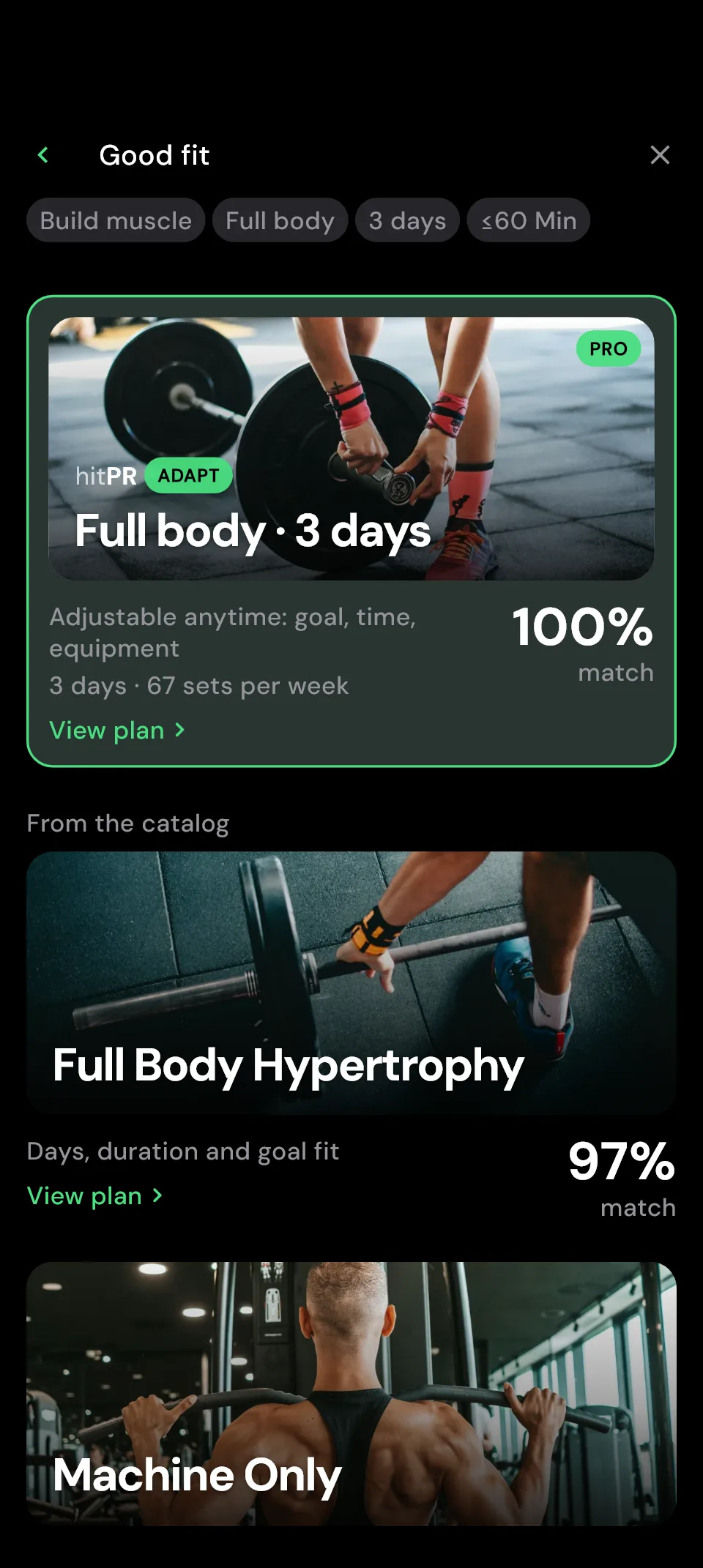 Enlarge image
 See your plan first
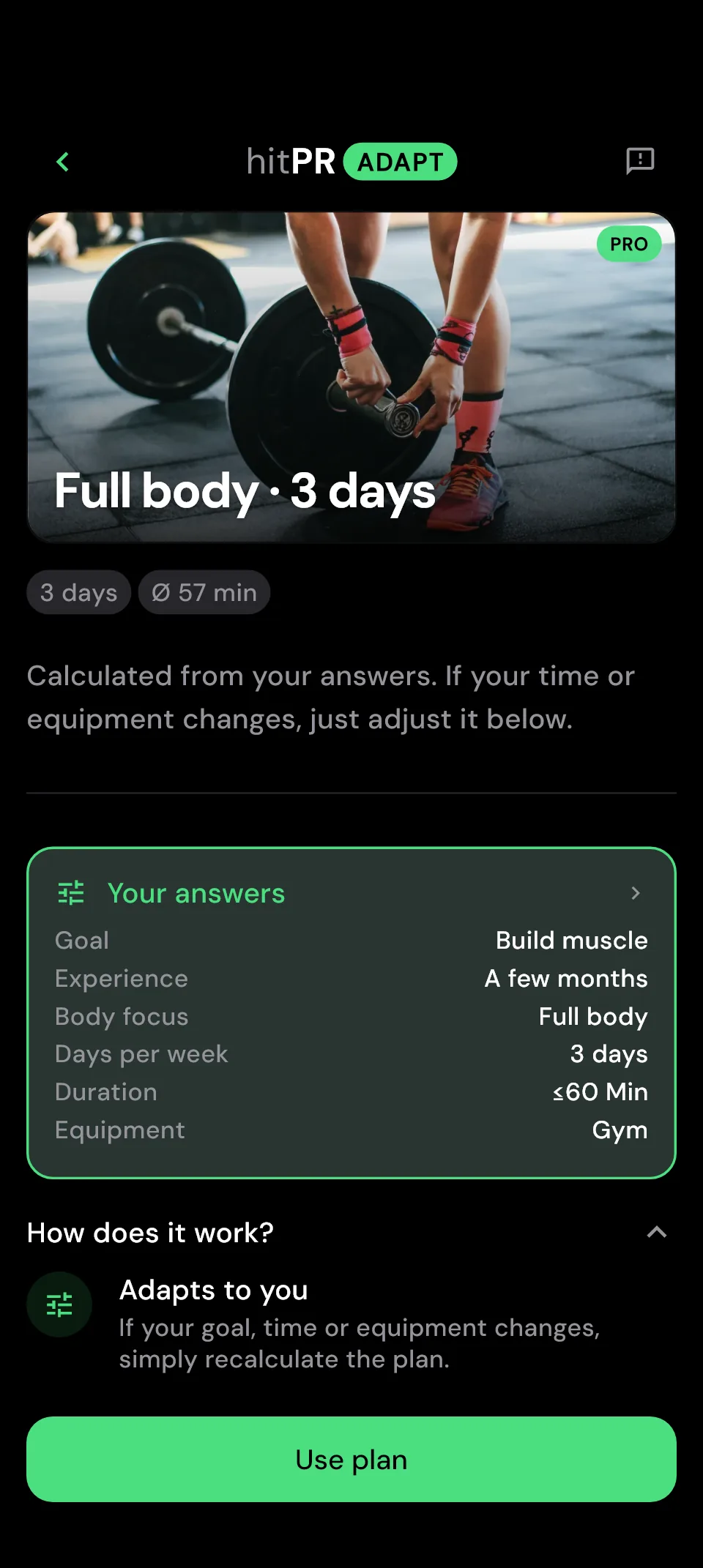
After Show results, your Adapt plan is at the top. Tap it to see a preview, just like the plans in the catalog. The app tells you how long a workout takes. The time you chose is the limit, with a little leeway: a day can take up to five minutes longer.
If something doesn’t add up, the app tells you right away. If your time isn’t enough for all the important exercises, you see what’s missing and from how many minutes it would be included. And if fewer days would give you almost the same training with longer sessions, you learn that too.
 Enlarge image
 Balanced, in your time, with your gear
Your plan follows a few clear rules:
- Big lifts first. Each day starts with the big exercises like squats, presses and rows. Smaller muscles come after.
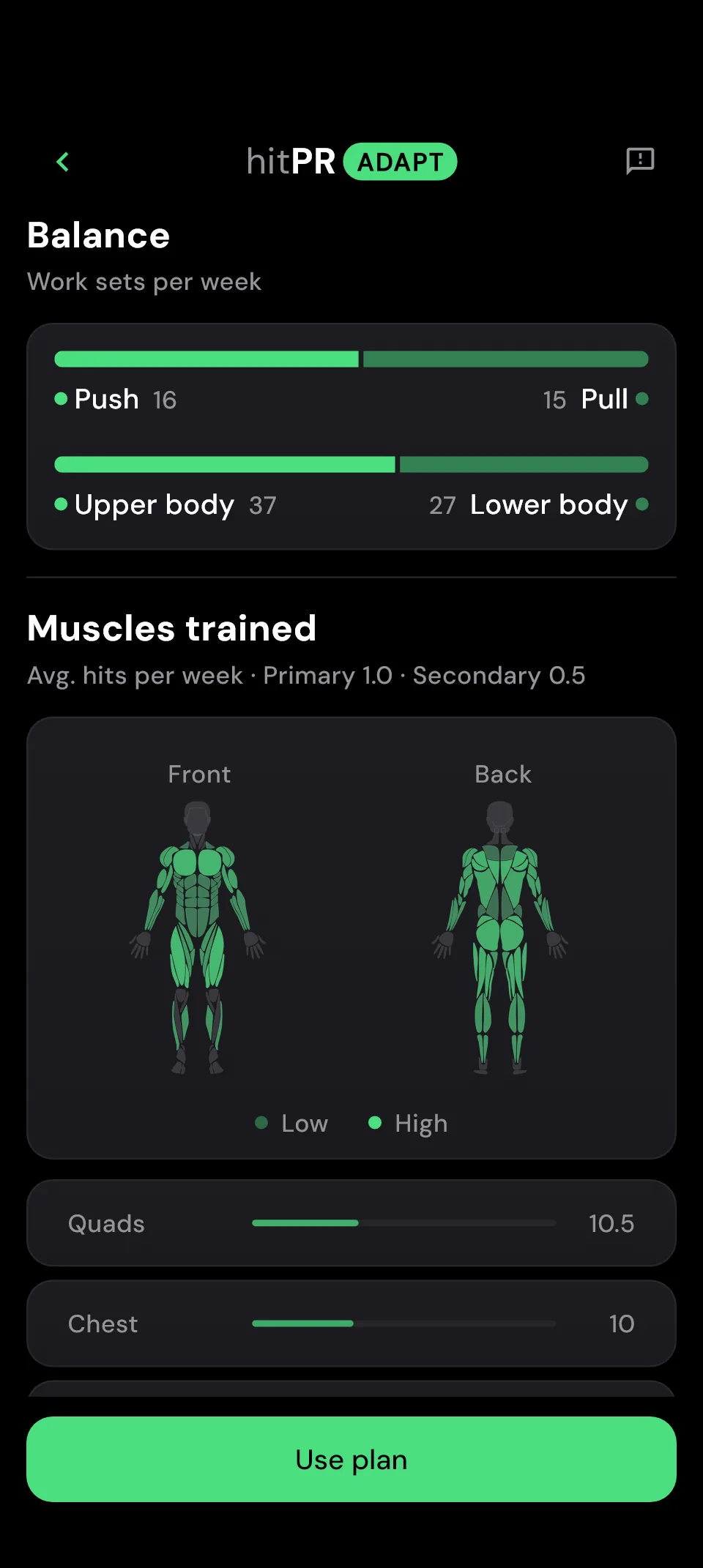
- Enough, but not too much. Each muscle gets as many sets per week as your goal and experience call for. Beginners start with fewer sets than advanced lifters.
- Push and pull in balance. Pressing and pulling get a similar number of sets, so no side falls behind.
- Spread across the week. Big muscle groups are trained on two days where possible.
- With your equipment. Exercises come from a curated list for gym and home, not from all of the app’s 1,300+ exercises.
 Enlarge image
 Every exercise has a job
Every exercise shows its job in the plan, for example “Legs · Squat” or “Back · Row”. The leg press is taken or you don’t like an exercise? Swap it for one with the same job. Your plan stays balanced.
Apart from that, it’s a normal plan. You change sets, reps and rest in the editor. What you changed yourself is marked Changed, so you always see what comes from the plan and what comes from you.
The exercises stay the same from workout to workout. That’s on purpose: only if you do an exercise regularly can you see whether you’re getting stronger.
When life gets in the way
Tap Adjust above Start workout. You get two options:
- Adjust the day, just for the next workout. Less time today, or you’re at a hotel with a few dumbbells? Choose less time or different equipment, and the day is recalculated for this one workout. Next time, your normal plan applies again.
- Adjust whole plan, for all days from now on. You can train four days instead of three, or you’re training at home from now on? Change your answers. Before anything changes, the app shows you the new plan and what’s different. If you like it, you take it. Otherwise everything stays as it was.
Your weights aren’t lost. Exercises that stay in the new plan continue where you left off. If you changed something yourself, the app tells you beforehand what will be dropped, and you can save the old version as your own plan first.
Stronger on autopilot
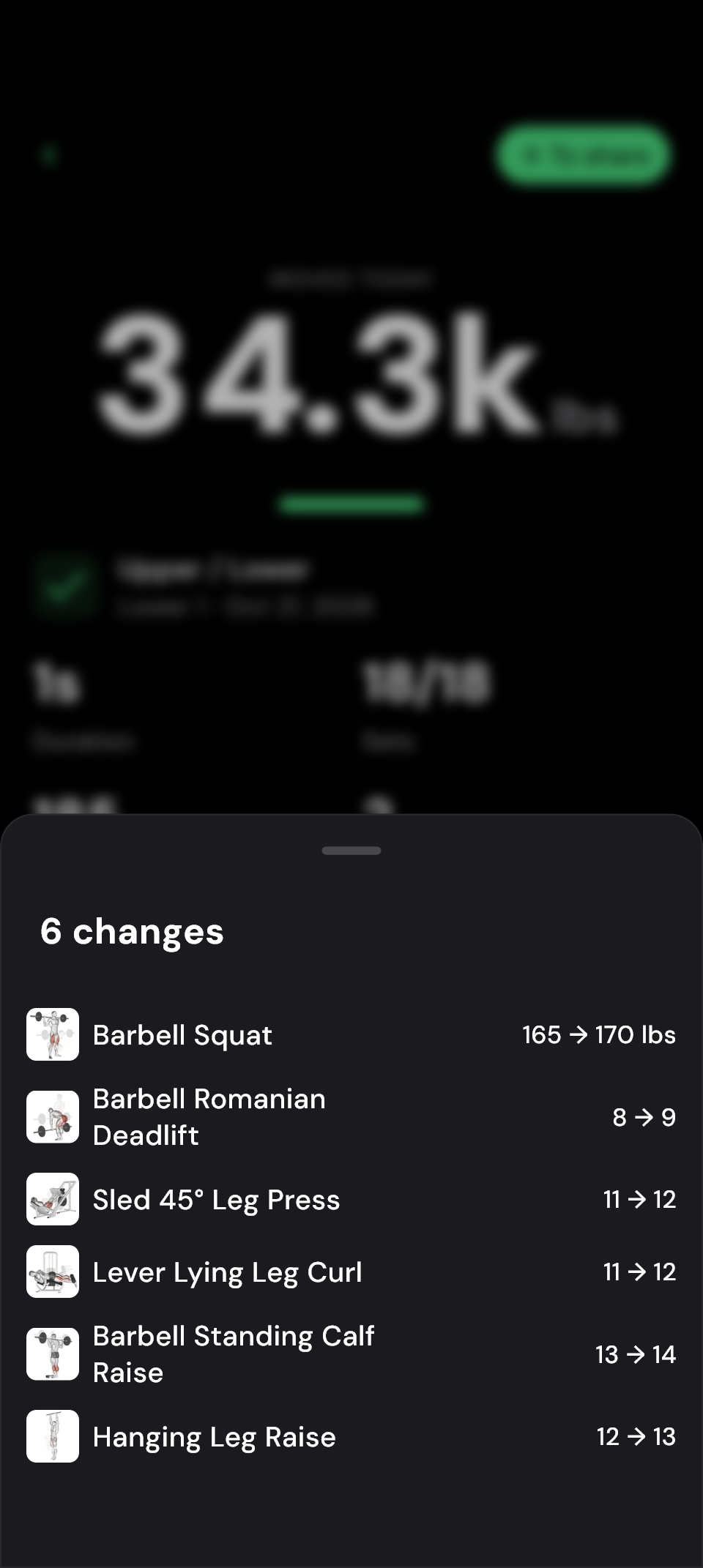
Your Adapt plan progresses with double progression. Each exercise has a rep range, for example eight to twelve. You work your way up within it. Hit twelve in all sets and the weight goes up next workout, and you start again at eight. More on this under Automatic progression.
A deload rule is built in. If you miss your targets three workouts in a row, the weight drops by 10 percent, and you work your way back up from there.
You choose the weight for your first workout yourself. Rather start a little lighter: if it’s too easy, you’ll hit all twelve right away, and next time it goes up. For bodyweight exercises like push-ups, the plan tells you when to switch to the harder variation.
 Enlarge image
 What is free, what is Pro
Adapt is part of hitPR Pro: €1.99 a month, €19.99 a year or €34.99 once. If your Pro ends, your plan stays and you keep training it. You can still edit it by hand. Only recalculating it with Adjust is no longer possible. Catalog plans, your own plans and automatic progression are free anyway.
What the app can't do
The app doesn’t see how cleanly you perform an exercise or how fit you feel today. That’s why you decide which weights you use. The plan doesn’t replace a coach who supervises you in person, and it isn’t medical advice. It’s made for healthy people aged 16 and over. If you have complaints, get them checked first. If an exercise hurts, swap it.
For a complete plan you need some equipment. With your bodyweight only, for example, an exercise that pulls from above, like a lat pulldown or a pull-up, is missing. The app tells you what would help, such as a pull-up bar or a resistance band.
Frequently asked questions
Is hitPR Adapt AI?
No. The plans are calculated by fixed rules from training science, and everything runs on your phone. The same answers always give the same plan.
Do I get different exercises every workout?
No. The exercises stay until you swap one yourself. That way you can see whether you're getting stronger.
Can I change the plan myself?
Yes, like any plan in hitPR. What you change is marked Changed. If a plan should never change again, copy it as your own plan.
Can I have more than one Adapt plan?
Yes, for example one for the gym and one for home.
Does an app update change my plan?
No. Your plan only changes when you adjust it yourself.
What happens when my Pro ends?
Your plan stays, you keep training it and you can edit it by hand. Only Adjust is locked, so the plan or a single workout can't be recalculated.
Do I need an account or internet?
No. hitPR Adapt works without an account and offline, like the whole app.